How to Activate an ExacqVision License
After your order is processed you receive a license key (for example XXXXXX-XXXXXX-XXXXXX-XXXXXX-XXXXXX-XX) and usually also a .key license file named after your server's MAC address. Either one activates the same license — pick whichever of the three methods below suits your installation.
All three methods start in the same place: open the exacqVision Client, go to Configuration, select your server in the tree on the left, click Configure System and open the System tab. The License section is on that page.
Method 1
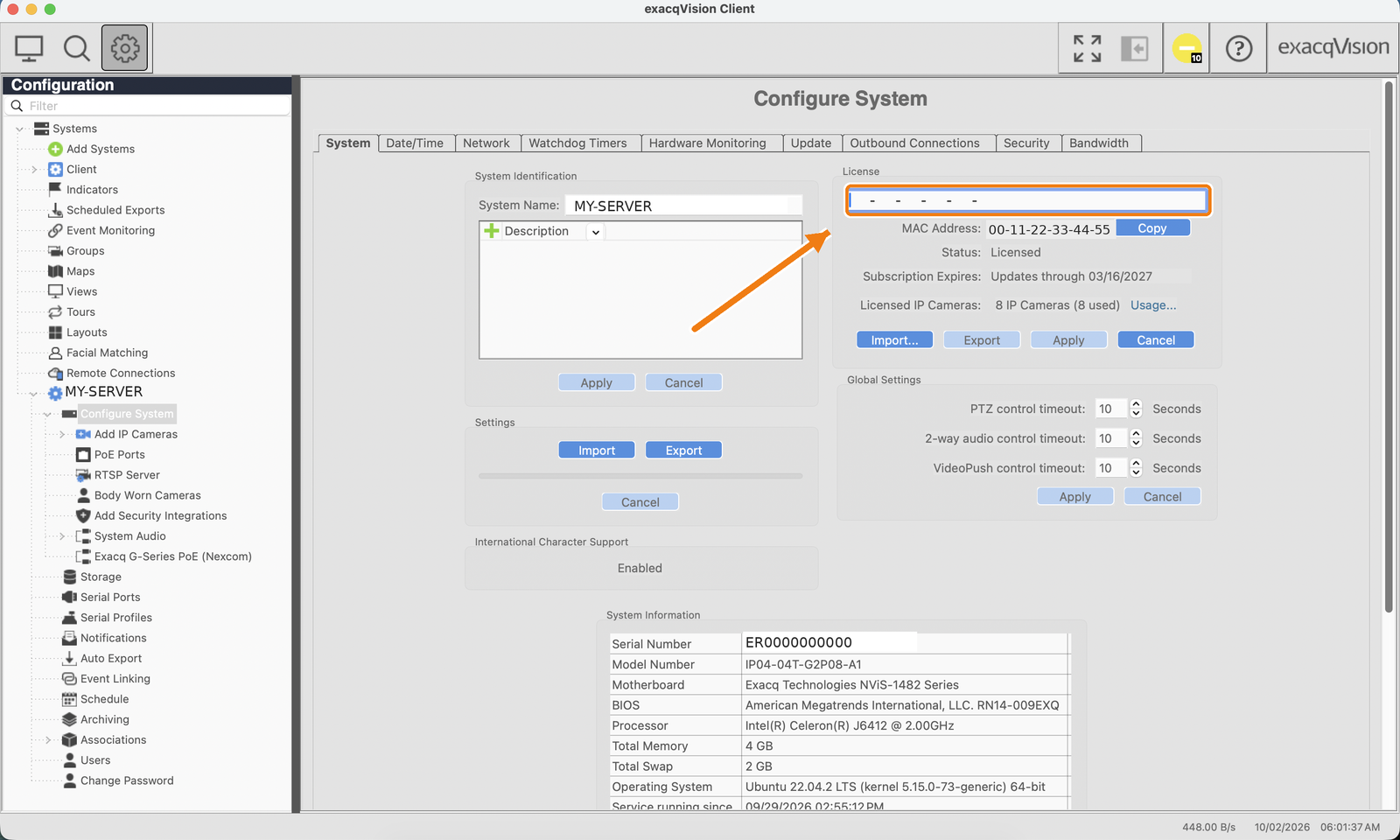
Enter the license key
Click into the license field at the top of the License section, paste the license key exactly as you received it (including the dashes) and click Apply. The edition and IP camera count update immediately.
Method 2
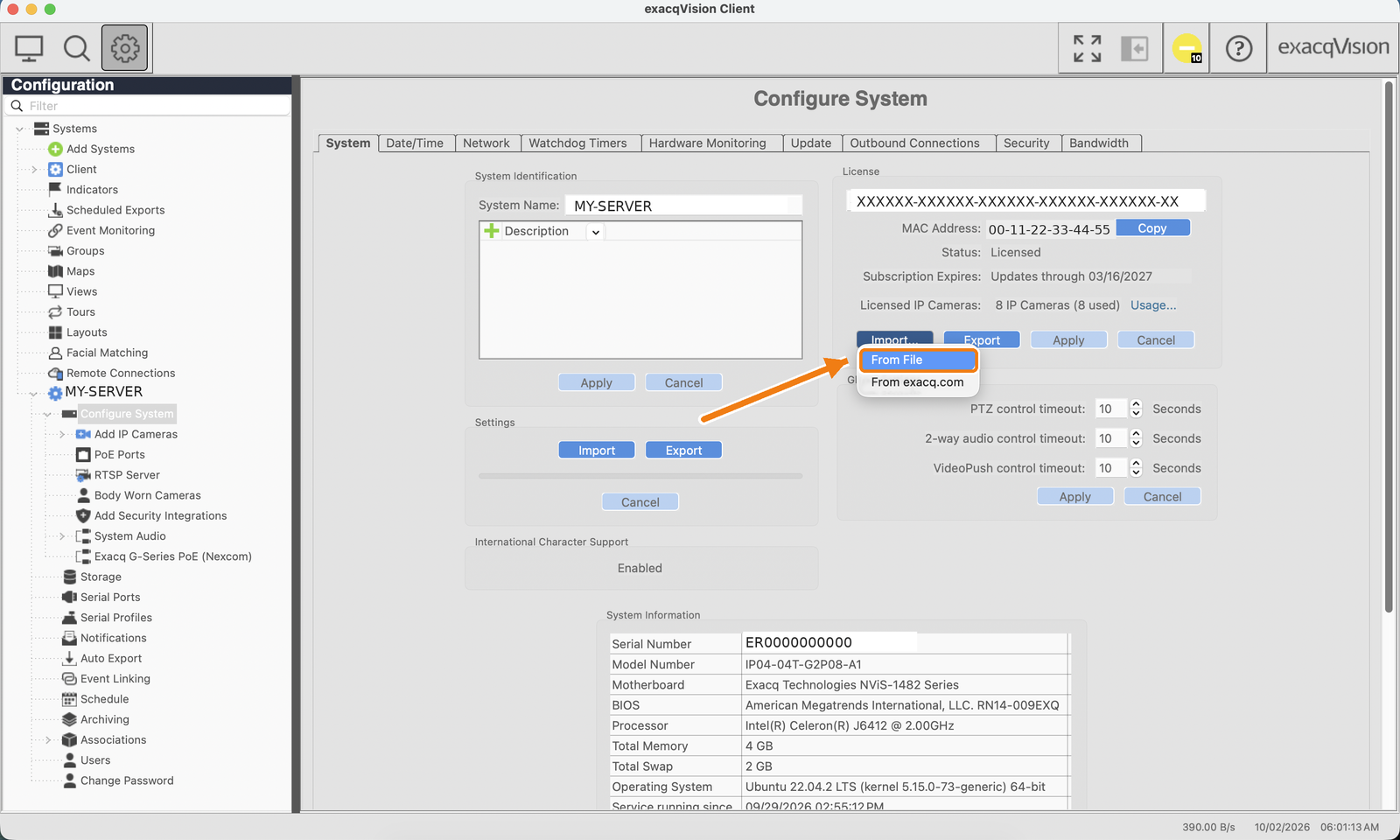
Import the .key license file
The .key file (named after your server's MAC address, e.g. 00-11-22-33-44-55.key) cannot be opened directly — it is not a document, so a blank preview in your e-mail client is normal. Save it to the computer running the exacqVision Client, click Import… in the License section, choose From File, select the .key file and click Apply.
Method 3
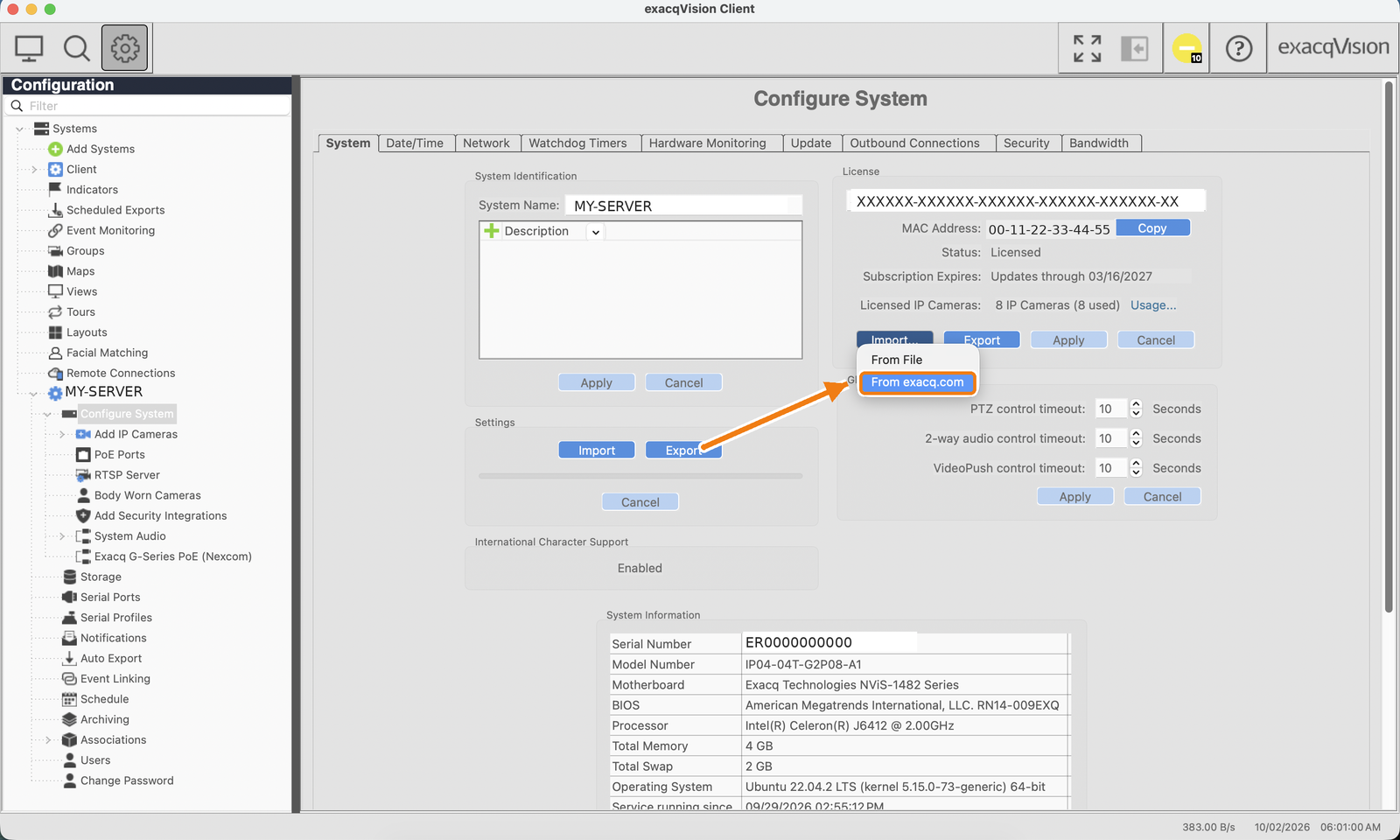
Online activation from exacq.com
If the server has internet access, you do not need to type or import anything. Click Import… in the License section and choose From exacq.com — the server contacts the exacq.com licensing service, finds the license registered to its MAC address and applies it automatically. This is the fastest method and also refreshes the license after renewals or upgrades.
Verify the activation
- Stay in the System tab after clicking Apply.
- Check that Licensed Edition shows your edition (Professional or Enterprise).
- Check that the IP Cameras count matches the number of licenses you purchased.
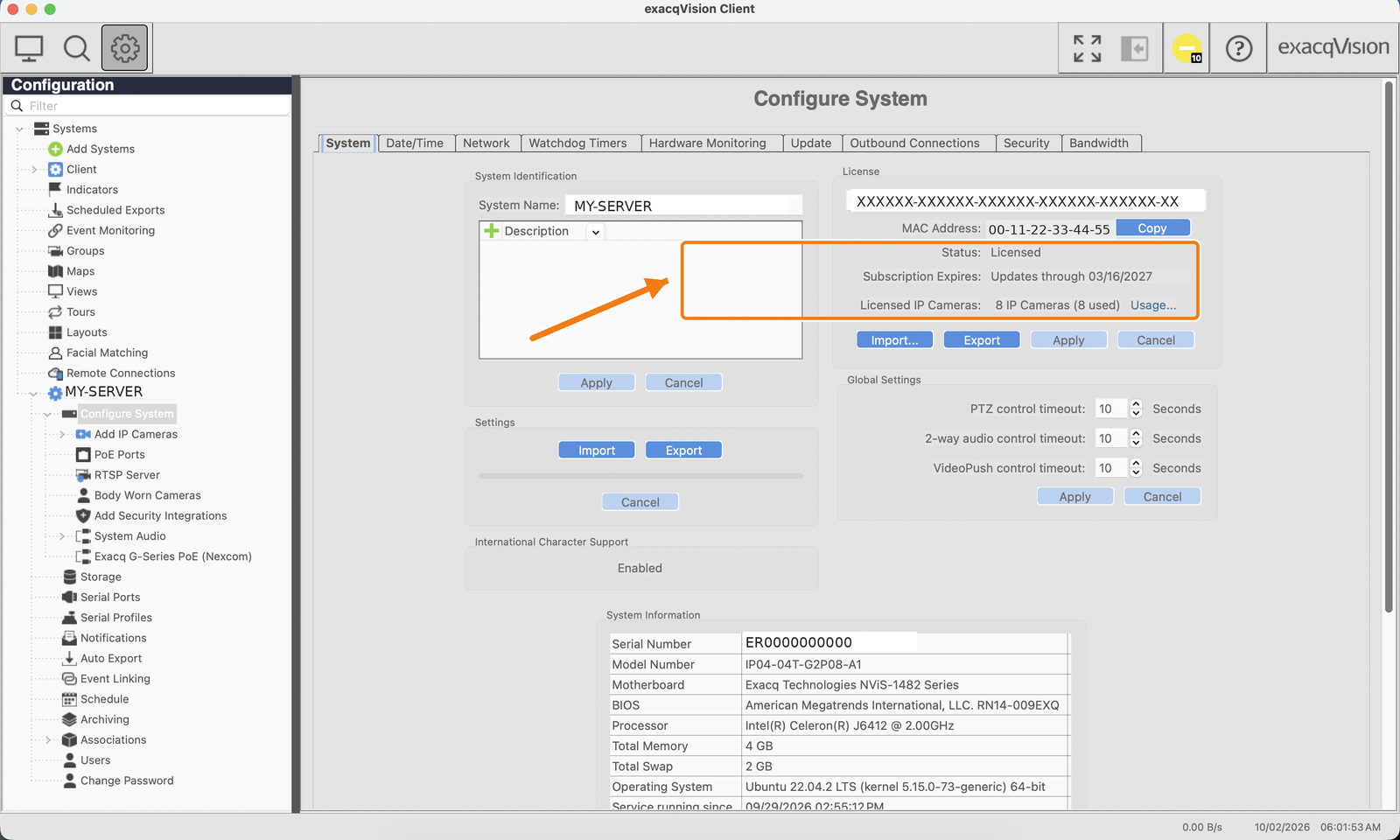
If the count or edition does not match, or the key is rejected, double-check that the MAC address in the License section is the one the license was issued to.
Need help?
Reply to your order e-mail or write to sales@exacqlicenses.com with your server MAC address — we respond within one business day.